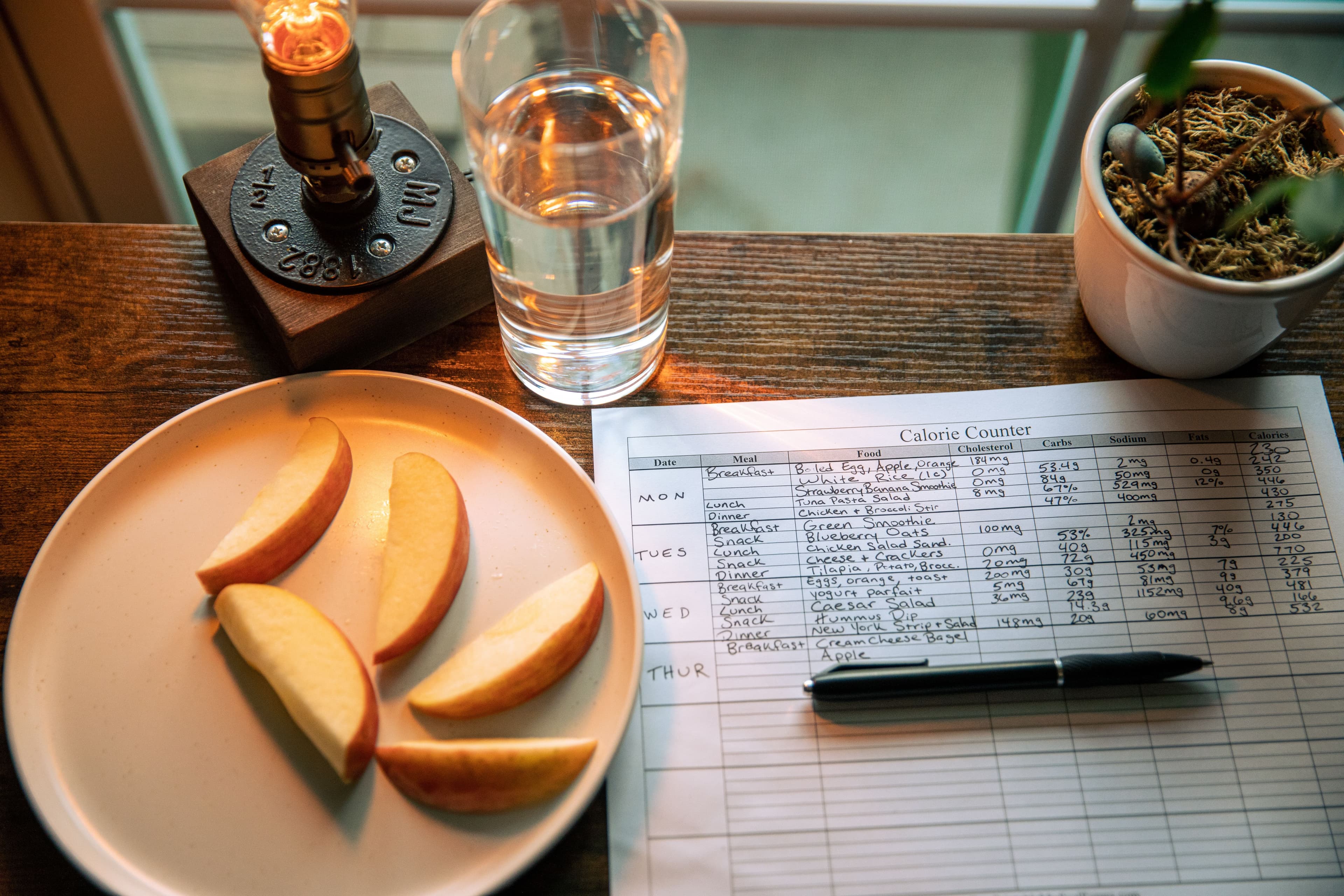
Meal planning sounds simple until you have to choose recipes, organize a grocery list, track nutrition, and figure out what everyone will actually eat. A good meal planning app brings those tasks together and makes it easier to plan the week without starting from scratch every day.
The best option depends on how you cook. Some apps are built around your own recipes, while others generate meal ideas, track calories and macros, manage grocery lists, or help an entire household plan together.
For 2026, we compared popular meal planners based on practical features such as weekly planning, recipe management, grocery lists, nutrition tools, family sharing, flexibility, device support, and overall ease of use. Below, you can quickly see which option fits different meal-planning needs.
Best Meal Planning Apps in 2026 at a Glance
You do not need the same features from every planner. If you already have a large recipe collection, recipe organization may matter most. If you track calories or protein, nutrition-based planning may be more useful. Families may care more about shared lists and calendars.
| Meal Planner | Best For | Grocery Lists | Own Recipes | Nutrition Focus |
|---|---|---|---|---|
| Prepear | All-around meal planning | Yes | Yes | Basic |
| Plan to Eat | Planning with your own recipes | Yes | Yes | Limited |
| Samsung Food | Recipe discovery and shared planning | Yes | Yes | Yes |
| Paprika 3 | Recipe organization and reusable meal plans | Yes | Yes | Limited |
| AnyList | Grocery lists and household planning | Yes | Yes | Limited |
| Eat This Much | Calories, macros, and automated meal plans | Yes | Limited | Strong |
| Recipe Keeper | Saving and organizing family recipes | Yes | Yes | Limited |
| Mealime | Existing users before service closure | Yes | Limited | Basic |
There is no single planner that works best for everyone. Plan to Eat and Paprika make more sense if you want to build plans around recipes you already use. AnyList focuses heavily on the connection between meal planning and grocery shopping, while Eat This Much is more useful when calories and macronutrient targets influence what you eat.
Prepear combines recipes, weekly planning, and grocery lists in one place, while Samsung Food adds recipe discovery and personalized planning features. Mealime still works at the time of writing, but its service is scheduled to shut down on October 21, 2026, so new users should consider a longer-term alternative.
How We Chose the Best Meal Planning Apps
A useful meal planner should save time, not add another complicated routine. We compared each option based on the features that matter most during real weekly planning.
We looked at how easily users can add meals, save recipes, build grocery lists, adjust plans, and manage dietary preferences. We also considered family sharing, nutrition tracking, device support, pricing, and how much value the free version provides.
Our main comparison criteria included:
- Weekly meal planning and calendar flexibility
- Recipe saving and importing
- Automatic grocery list creation
- Nutrition, calorie, and macro tracking
- Family or household sharing
- Dietary preference support
- Free features and paid plan value
- Mobile, web, and desktop availability
- Ease of changing meals when plans shift
- Overall simplicity for regular use
We gave more weight to features that make weekly planning easier in practice. An app may offer hundreds of recipes, for example, but that matters less if changing a meal or updating the grocery list becomes frustrating.

Best Meal Planning Apps for 2026
The apps below solve different parts of the meal-planning process. Some work best for organizing recipes you already love, while others focus on grocery lists, nutrition targets, family planning, or automatic meal suggestions.
1. Prepear: Best for All-Around Meal Planning
Prepear is a strong option for people who want recipes, weekly planning, and grocery lists in one place. You can save recipes from the web, add your own recipes, organize favorites into cookbooks, and then place meals directly into your weekly plan.
One of its most useful features is the connection between planning and shopping. Once you add recipes to your schedule, Prepear can turn the ingredients into a grocery list. You can also add everyday items manually, so you do not need a separate shopping-list app.
The planner stays flexible as well. You can leave space for leftovers, eating out, or last-minute changes instead of forcing every day into a fixed menu. Prepear works across phones, tablets, and computers, which makes it practical if you prefer planning on a larger screen but use your phone while shopping or cooking.
Best for
Families and home cooks who want one place to organize recipes, plan the week, and prepare a grocery list.
Key Features
- Save recipes from websites or add your own
- Organize recipes into personal cookbooks
- Build weekly meal plans
- Turn planned recipes into grocery lists
- Adjust meals when plans change
- Access plans on mobile, tablet, and computer
- Grocery pickup or delivery through Walmart integration in the mobile app
- Premium access to additional meal plans, cookbooks, and Cook Mode features
Pros
- Combines recipes, planning, and shopping in one workflow
- Useful for people who already have favorite recipes
- Easy to move between desktop planning and mobile use
- Grocery lists are connected directly to planned meals
- Free accounts are available for getting started
Cons
- Some meal plans, cookbooks, and advanced features require a paid subscription
- Nutrition tracking is not its main strength, so users focused heavily on calories or macros may prefer a more nutrition-focused option
- The number of features may be more than you need if you only want a simple weekly dinner calendar
Pricing
Prepear offers a free account for basic use. Its paid offering, Prepear Gold/Full Access, adds broader access to meal plans, cookbooks, and premium cooking features. Pricing can vary by subscription or content offering, so check the current plan before subscribing.

2. Plan to Eat: Best for Planning With Your Own Recipes
Plan to Eat works best for people who already know what they like to cook and want a better system for organizing those meals. Instead of pushing a fixed menu, it lets you build plans around your own recipe collection, schedule, dietary needs, and budget.
You can place recipes on specific dates and mealtimes, change serving sizes, move meals when plans change, and save complete menus to reuse later. It also supports leftovers, notes, ingredients, and printable meal plans, which makes it useful for families with changing weekly routines.
One of its strongest features is the automatic shopping list. Ingredients from recipes scheduled within your selected date range are added to the list and organized by store and grocery category.
Plan to Eat is also particularly useful for batch cooking. Its Freezer feature lets you track frozen meals, quantities, and when each recipe was prepared, while reusable Menus can cover anything from one meal to an entire month.
Best for
Home cooks who want to plan meals around their own recipes, especially people who batch cook, freeze meals, or repeat favorite weekly menus.
Key Features
- Add and organize your own recipes
- Schedule recipes by date and mealtime
- Automatically create shopping lists from planned meals
- Change serving sizes and update ingredient quantities
- Plan leftovers and individual ingredients
- Save reusable menus
- Track batch-cooked meals in the Freezer
- Print weekly or monthly plans
- Use the planner on web and mobile devices
- Display nutrition and cost information when that data is available in saved recipes
Pros
- Excellent for people with an existing recipe collection
- Reusable menus reduce repeated weekly planning
- Strong freezer and batch-cooking features
- Automatic grocery lists stay connected to the meal calendar
- Flexible enough for simple or detailed planning
- New Version 4 adds more customization and lets users plan a full day of meals at once
Cons
- It focuses more on organizing your own recipes than automatically deciding what you should eat
- Users looking mainly for AI-generated menus or highly automated nutrition planning may prefer another option
- There is no permanent free plan after the trial
Pricing
Plan to Eat currently offers a fully featured 14-day free trial with no credit card required. After that, the regular subscription is $5.95 per month or $49 per year.
If you only need a simple way to map out dinners without managing a full recipe database, try our Dinner Calendar Planner.
3. Samsung Food: Best for Shared Meal Planning
Samsung Food is a good fit for households that want to plan meals together rather than keep recipes, weekly menus, and grocery lists in separate places. The free planner lets you build daily or weekly plans, add recipes from the web, include custom notes, and turn planned meals into a shopping list.
Sharing is one of its biggest advantages. Family members or other people you cook with can collaborate on meal plans and shopping lists, and shared plans can be viewed and edited in real time through a link. That makes it useful when more than one person handles cooking or grocery shopping.
Samsung Food also goes further than a basic weekly calendar. You can save recipes from websites, organize your recipe collection, drag meals between days, discover new dishes, and view nutrition information for saved recipes.
Best for
Couples, families, and shared households that want recipes, meal plans, and grocery lists to stay connected across different devices.
Key Features
- Create daily and weekly meal plans
- Save recipes from websites
- Add your own recipes
- Drag and drop recipes between days
- Turn a meal plan into a grocery list
- Share meal plans and shopping lists
- Collaborate with other household members
- View calories and nutrition information
- Add dietary preferences
- Use Samsung Food on mobile or through the web app
Samsung Food+ adds more advanced tools, including personalized seven-day meal plans, nutrition-goal tracking, saved meal-plan templates, AI recipe personalization, pantry-based recipe search, and automated food-list features. Several of these premium functions are available specifically through the mobile app.
Pros
- Strong free meal-planning features
- Easy collaboration for couples and families
- Converts recipes and full meal plans into shopping lists
- Useful recipe-saving and discovery tools
- Nutrition information is built into the broader planning workflow
- Available through both mobile and web
- Premium plan adds personalized meal and nutrition tools
Cons
- Some of the most advanced nutrition and AI features require Samsung Food+
- Several premium features are mobile-only
- The number of features may feel excessive if you only need a simple dinner schedule
- AI-generated or personalized plans may still need manual changes to match your household's actual routine
Pricing
Samsung Food's basic meal-planning service is free. Samsung Food+ currently costs $6.99 per month or $59.99 per year and includes a seven-day free trial. Pricing may vary by country.

4. Paprika 3: Best for Recipe Collectors
Paprika 3 is a strong choice if your biggest problem is not finding recipes, but organizing the ones you already use. It combines recipe storage, meal planning, grocery lists, and pantry tracking in one app without forcing you into a subscription-based planning system.
You can save recipes directly from websites using Paprika’s built-in browser, edit them, scale ingredient quantities, and organize them into categories. The meal planner supports daily, weekly, and monthly views, so it works well for people who prefer planning further ahead instead of only deciding what to cook for the next few days.
Paprika also creates grocery lists from saved recipes. Similar ingredients can be combined automatically and sorted by aisle, while the pantry feature helps you keep track of ingredients you already have at home.
Another advantage is offline access. Paprika stores your data locally, so you can still view recipes and meal plans without an internet connection. Its cloud sync can then keep recipes, grocery lists, and plans aligned across supported devices.
Best for
People with a large personal recipe collection who want to organize recipes, build reusable meal plans, and keep grocery lists connected to what they cook.
Key Features
- Save recipes directly from websites
- Create and edit your own recipes
- Build weekly and monthly meal plans
- Create reusable menus
- Automatically generate grocery lists
- Combine similar grocery ingredients
- Track pantry items
- Scale recipe serving sizes
- Store nutrition information when it is available in the original recipe
- Access saved recipes offline
- Sync recipes, grocery lists, and meal plans across devices
Pros
- Excellent for organizing a large recipe library
- Supports both weekly and monthly meal planning
- No internet connection is required to access locally stored recipes
- Strong grocery-list and pantry tools
- Reusable menus reduce repeated planning
- Cloud sync is included without an additional sync fee on supported versions
Cons
- Each platform version is sold separately, so using Paprika across several device types can increase the total cost
- It focuses more on organizing your own meals than automatically creating a personalized weekly menu
- Nutrition information depends heavily on what is included in the saved recipe
- The current Paprika 3 experience has fewer household-sharing features than some collaborative planners
Pricing
Paprika uses a one-time purchase model rather than a standard monthly subscription for Paprika 3. Each platform is purchased separately. For example, the Windows version currently costs $29.99, while pricing for iOS, Android, and Mac may differ by platform and region.
Paprika 4 is also in beta testing in 2026. Planned additions include family member accounts, social-media recipe importing, recipe photo scanning, shared cookbooks, barcode scanning, and expanded pantry tools. Paprika says these new features will require a premium subscription after the beta period, so users considering the app should check the latest version and pricing before purchasing.

5. AnyList — Best for Grocery Lists and Household Planning
AnyList makes the most sense for people whose meal planning usually ends with the same question: what exactly do we need to buy?
Its strength is the connection between the meal calendar and the grocery list. You can add recipes or notes to specific days, move meals when plans change, and then generate a shopping list from the meals scheduled within a selected date range. You can add every ingredient or choose only the items you actually need.
That workflow is especially useful for households. AnyList lets family members share lists, recipes, and the meal-planning calendar, with changes syncing across devices. You can also sync your meal plan with external calendars such as Google Calendar, which helps when meals need to fit around work, appointments, or other plans.
Best for
Couples and families who want meal planning to stay closely connected with grocery shopping and shared household lists.
Key Features
- Add recipes and notes to a meal-planning calendar
- Move meals when plans change
- Generate grocery lists from planned recipes
- Add only selected ingredients to your shopping list
- Share grocery lists with household members
- Share recipes and meal plans
- Import recipes from websites
- Scale recipe quantities
- Sync meal plans with external calendars
- Access lists and recipes across iPhone, iPad, Android, Mac, and web-supported devices
Pros
- Excellent connection between meal planning and grocery shopping
- Shared lists update across household members
- Grocery items are automatically organized into categories
- Useful for couples who split shopping or cooking responsibilities
- Recipe importing reduces manual entry
- Works across several device types
Cons
- Its strongest features revolve around shopping and organization rather than automatic personalized meal generation
- Desktop and web access require AnyList Complete
- Some advanced meal-planning and recipe features are part of the paid tier
- Nutrition tracking is not the main focus, so it may not suit users planning primarily around calorie or macro targets
Pricing
AnyList has a free version, while AnyList Complete currently costs $9.99 per year for an individual or $14.99 per year for a household. The household option extends the premium benefits to other members of the same household.

6. Eat This Much: Best for Calories and Macro-Based Meal Planning
Eat This Much takes a different approach from traditional meal planners. Instead of asking you to choose every meal yourself, it can generate meals around your calorie target, macronutrient goals, food preferences, budget, and schedule.
This makes it especially useful if nutrition targets influence what you eat. You can set calorie goals and specific targets for protein, carbohydrates, and fat, then regenerate meals that do not suit your preferences. It supports eating styles such as Mediterranean, keto, vegan, vegetarian, and paleo, while still allowing you to create custom foods and recipes.
Before building a nutrition-focused meal plan, it helps to know roughly what your daily targets should be.
You can calculate your daily macro targets first, then use those numbers when setting up your meal plan
If protein intake is one of your main goals, you can also estimate your daily protein needs before choosing meals.
Premium users can generate an entire week at once, automatically create a grocery list, plan leftovers, account for pantry ingredients, and save favorite weekly plans. The grocery list updates with the meals in the plan, which reduces the need to calculate ingredient quantities separately.
Best for
People who want their meals planned around calorie, protein, or macronutrient targets rather than choosing recipes first.
Key Features
- Generate meals around calorie targets
- Set protein, carbohydrate, and fat goals
- Choose dietary preferences and food exclusions
- Adjust meals based on budget and cooking time
- Create custom recipes and foods
- Track what you actually eat
- Generate weekly meal plans with Premium
- Create automatic grocery lists
- Plan leftovers automatically
- Track pantry ingredients
- Adjust portions for additional family members
- Save and reuse favorite weekly plans
Pros
- Strong focus on calories and macros
- Generates meals automatically instead of requiring you to plan everything manually
- Useful for several common dietary patterns
- Lets you replace meals that do not appeal to you
- Connects weekly plans with grocery lists
- Pantry and leftover tools can help reduce unnecessary food purchases
- Free version lets you test the core meal generator
Cons
- The free version generates one day of meals at a time rather than a complete week
- Weekly planning and automatic grocery lists require Premium
- Automatically generated meals may still need adjustments for personal taste or household routines
- It may feel more detailed than necessary if you simply want to decide what to cook each night
Pricing
Eat This Much has a free plan that includes daily meal generation, food tracking, custom foods and recipes, and recurring foods. Premium currently costs $5 per month when billed annually and adds weekly meal generation, automatic grocery lists, leftovers planning, grocery-delivery integrations, and saved weekly plans.
If you mainly need a straightforward weekly dinner schedule rather than calorie-based automation, you can use our Dinner Calendar Planner instead.
7. Recipe Keeper: Best for Saving and Organizing Family Recipes
Recipe Keeper is a practical choice for people who have recipes scattered across websites, cookbooks, screenshots, handwritten notes, and old family collections.
Instead of focusing mainly on automatic meal generation, it helps you build a personal digital cookbook and then use those saved recipes for weekly or monthly planning. You can type recipes manually, import them from websites, or scan recipes from books, magazines, photos, and PDF files. Its OCR feature converts scanned recipe images into editable text.
That makes Recipe Keeper especially useful if you want to preserve family recipes that may not already exist online. Once your collection is organized, you can place recipes into the meal planner and add all the required ingredients to your shopping list in one step.
The shopping list automatically groups items by aisle and supports separate lists for different stores. Recipe Keeper also lets you adjust serving sizes and recalculates ingredient quantities, which helps when cooking for a larger or smaller group.
Best for
Families and home cooks who want to digitize, organize, and plan meals around recipes they already own.
Key Features
- Add recipes manually
- Import recipes from websites
- Import recipes from Instagram and TikTok
- Scan cookbook, magazine, handwritten, photo, and PDF recipes
- Organize recipes by course and category
- Search recipes by name, ingredient, or instructions
- Build weekly and monthly meal plans
- Add planned recipe ingredients to a shopping list
- Organize grocery items by aisle
- Create separate lists for different stores
- Adjust serving sizes automatically
- Create printable or PDF cookbooks
- Sync recipes, shopping lists, and meal plans across supported devices
- Access saved recipes offline
Pros
- Excellent for preserving handwritten and family recipes
- Strong recipe scanning and importing options
- Supports both weekly and monthly planning
- Grocery lists connect directly to planned meals
- Useful across iPhone, iPad, Android, Windows, and Mac
- Offline access is useful when cooking without a reliable connection
- Printable cookbook creation is a useful extra for family recipe collections
Cons
- It is more focused on organizing your own recipes than generating personalized meals automatically
- Users mainly interested in calorie or macro-based planning may need a more nutrition-focused tool
- Advanced syncing and full functionality may require an upgrade depending on the platform
- Scanning recipes adds convenience, but imported text may still need occasional cleanup
Pricing
Recipe Keeper can be downloaded and tried for free. On the U.S. Apple App Store, the current Recipe Keeper Pro upgrade is listed as a $19.99 in-app purchase. Pricing can differ by platform and region, so check your device's app store before purchasing.

8. Mealime — Best for Existing Users Before Shutdown
Mealime has been one of the simpler options for people who want help choosing recipes, building a weekly plan, and turning that plan into a grocery list. It offers more than 200 personalization options and can tailor meal suggestions around diet type, allergies, disliked ingredients, and other preferences.
Its Auto-builder can generate a meal plan for you, while the self-serve planner lets you choose recipes yourself. Once the plan is ready, Mealime automatically creates a grocery list, combines ingredient quantities, and organizes items by grocery-store category.
However, there is one major issue for anyone considering Mealime in 2026: Mealime has officially announced that the service will shut down on October 21, 2026. For that reason, it makes more sense for existing users finishing their transition than for someone choosing a new long-term meal planning app today.
Best for
Existing Mealime users who need to continue using their current meal-planning setup temporarily while moving recipes and routines to another service.
Key Features
- Automatically build meal plans
- Create your own meal plan manually
- Personalize meals around diet preferences and allergies
- Exclude disliked ingredients
- Adjust serving sizes
- Automatically generate a grocery list
- Combine ingredient quantities across recipes
- Organize groceries by store department
- Add personal grocery items
- Share or print grocery lists
- Connect grocery shopping with services such as Walmart, Kroger, Amazon Fresh, and Instacart
- Access more detailed nutrition information with Mealime Pro
Pros
- Simple plan-shop-cook workflow
- Strong personalization options
- Automatic grocery lists reduce manual planning
- Recipes are designed to work together and reduce ingredient waste
- Supports both automatic and manual meal planning
- Free version covers the core planning experience
Cons
- The service is scheduled to close on October 21, 2026
- It is no longer a sensible long-term choice for new users
- Some nutrition and advanced planning controls require Mealime Pro
- Existing users will need to move their meal-planning routine elsewhere before the shutdown
Should You Start Using Mealime in 2026?
For most new users, no. Its core features are still useful, but choosing a planner that is about to close would mean setting everything up only to move again soon afterward.
If you only need a simple way to organize dinners for the week, you can use our Dinner Calendar Planner directly in your browser instead.
You can also build individual meals separately with our Meal Builder if you want more control over what goes into each meal.

Want a Simple Meal Planner Without Downloading Another App?
Not everyone needs a full meal planning app with recipe libraries, subscriptions, nutrition dashboards, and account syncing. If your main goal is simply to decide what to eat during the week, a browser-based planner can be faster and easier.
Our Dinner Calendar Planner gives you a straightforward way to organize upcoming dinners without installing another app or setting up a complicated recipe system.
This option makes the most sense if you already know many of the meals you enjoy and mainly need a clear place to organize them across the week. It can also work well alongside a grocery list, recipe collection, or nutrition tool rather than replacing all of them.
Your site also includes a separate Meal Builder for people who want to plan individual meals before placing them into a weekly routine.
When a Simple Browser Planner Makes More Sense
A lightweight planner may suit you better if:
- You do not want another subscription
- You already have recipes you regularly cook
- You mainly need to organize dinners by day
- You prefer using a browser instead of installing another app
- You do not need automatic recipe discovery or household accounts
- You want to plan meals first and handle nutrition separately
For more advanced needs such as shared household accounts, automatic grocery lists, recipe importing, or detailed macro targets, one of the dedicated apps above may be a better fit.
Meal Planning App vs Browser-Based Meal Planner: Which Is Better?
A meal planning app is usually better if you want a full system for recipes, grocery lists, nutrition tracking, household sharing, and automatic meal suggestions. A browser-based planner is better if you mainly want a fast way to organize meals without installing another app or paying for features you may not use.
The right choice depends on how much help you actually need.
| Feature | Meal Planning App | Browser-Based Meal Planner |
|---|---|---|
| Weekly meal calendar | Yes | Yes |
| Recipe storage | Usually | Sometimes |
| Automatic grocery lists | Often | Limited |
| Nutrition tracking | Available in some apps | Usually separate |
| Household sharing | Common in premium plans | Usually limited |
| App download required | Usually | No |
| Subscription required | Sometimes | Often no |
| Best for | Full meal-management system | Simple weekly planning |
If you regularly save recipes, manage a shared household, or want your grocery list generated automatically, a dedicated app can be worth the extra setup.
If you already know what you want to cook and simply need to organize meals across the week, a browser tool can keep the process much simpler.
You can use our Dinner Calendar Planner to create a weekly dinner schedule directly in your browser.
Which Option Should You Choose?
Choose a full meal planning app if you want:
- Recipe importing and storage
- Automatic shopping lists
- Family or household collaboration
- Nutrition tracking
- Personalized meal suggestions
- Cross-device syncing
Choose a simple browser-based planner if you want:
- A quick weekly dinner schedule
- No app installation
- Less setup
- A simpler planning workflow
- More control over meals you already know you like
Neither approach is automatically better. The better option is the one that removes friction from your weekly routine instead of adding more steps.
What Features Should You Look for in a Meal Planning App?
The best meal planning app is not always the one with the most features. It is the one that makes your weekly routine easier without creating extra work.
Before choosing, focus on the features you will actually use.
Automatic Grocery Lists
A strong planner should be able to turn your selected recipes into a usable shopping list. This saves time and reduces the chance of forgetting ingredients.
Look for tools that can:
- Combine duplicate ingredients
- Adjust quantities when servings change
- Organize items by grocery category
- Let you remove ingredients you already have
- Share the list with other household members
This feature matters most if your biggest problem is moving from “what should we eat?” to “what do we need to buy?”
Recipe Import and Storage
If you already have favorite recipes, check how easily the app lets you save them.
Some planners can import recipes directly from websites, while others also support manual recipes, photos, PDFs, or scanned recipe cards.
A good recipe library should make it easy to search, edit, categorize, and reuse meals instead of forcing you to find the same recipe again every week.
Flexible Weekly Planning
Real schedules change, so a rigid planner quickly becomes frustrating.
Look for a calendar that lets you move meals between days, change serving sizes, add leftovers, skip a meal, or leave space for eating out.
If you mainly need this kind of simple weekly organization, you can use our Dinner Calendar Planner instead of setting up a full app.
Dietary Preferences and Allergies
If you follow a specific diet or avoid certain ingredients, filtering options can save a lot of time.
Depending on your needs, useful filters may include:
- Vegetarian
- Vegan
- Keto
- Mediterranean
- Gluten-free
- Dairy-free
- Food allergies
- Disliked ingredients
Do not assume every app handles medical or allergy-related restrictions in the same way. Always review individual recipes and ingredient labels when a restriction is important.
Calories, Macros, and Nutrition
Nutrition features matter if your meal choices depend on calories, protein, carbohydrates, or fat targets.
Some planners simply display basic nutrition information, while others build meal plans around specific calorie and macro goals.
Family and Household Sharing
Shared access becomes important when more than one person plans, shops, or cooks.
Useful household features include:
- Shared grocery lists
- Shared meal calendars
- Separate user accounts
- Real-time syncing
- Recipe sharing
- Notifications when lists change
If only one person handles meal planning, you may not need to pay extra for these features.
Offline and Cross-Device Access
Think about where you will actually use the planner.
You might plan the week on a computer, check your grocery list on your phone, and open a recipe on a tablet while cooking.
Cross-device syncing makes that workflow easier.
Offline access can also matter if you want saved recipes available in a supermarket, kitchen, or other place with a weak connection.
Free Plan vs Paid Features
A free plan may be enough if you only need basic meal scheduling and grocery lists.
Paid plans become more useful when you need:
- Automatic weekly meal generation
- Advanced nutrition tracking
- Family accounts
- Larger recipe collections
- Pantry management
- Premium meal plans
- Cross-device access
- AI-assisted features
Before paying, check whether the feature you actually need is included in the free version or locked behind a subscription.
Ease of Use
This is often more important than the feature list.
A planner should make it quicker to decide what to cook, not give you another system to maintain.
If adding recipes, adjusting meals, or creating a shopping list takes too many steps, you are less likely to keep using it after the first few weeks.
Free vs Paid Meal Planning Apps: What Do You Actually Need?
You do not always need a paid plan to organize your weekly meals. For many people, a free version is enough to build a basic schedule, save a few recipes, and create a simple grocery list.
Paid plans become more useful when you want deeper automation or more control over the planning process.
A free option may be enough if you mainly want to:
- Plan meals for the week
- Save or organize a small recipe collection
- Create basic grocery lists
- Keep track of what you want to cook
- Test an app before committing to it
A paid plan may be worth considering if you need:
- Automatic weekly meal generation
- Detailed calorie and macro targets
- Household or family sharing
- Advanced recipe importing
- Pantry and freezer tracking
- Reusable meal-plan templates
- More storage or device syncing
- Premium recipe collections
- AI-assisted meal suggestions
The biggest mistake is paying for features you will rarely use. A feature-heavy meal planning app can sound impressive, but it is only useful if those tools fit your actual routine.
For example, someone who already knows what they cook each week may not need automated recipe suggestions. On the other hand, someone trying to manage nutrition targets, several family members, or a large recipe library may save enough time to justify a paid plan.
Before subscribing, check three things: which features are included for free, whether the paid features solve a real problem for you, and how often you expect to use them.
In most cases, starting with a free plan or trial gives you enough time to see whether the app actually makes meal planning easier.
Can Meal Planning Apps Automatically Make Grocery Lists?
Yes, many meal planning apps can automatically create a grocery list from the recipes you add to your weekly plan.
The process usually works like this: you choose your meals, the app pulls the required ingredients from each recipe, combines similar items, and adds them to a shopping list.
Better planners can also adjust ingredient quantities when you change serving sizes. Some organize groceries by category, such as produce, dairy, meat, or pantry items, which makes shopping faster.
However, grocery-list features are not identical across every app. Some planners let you remove ingredients you already have at home, while others include pantry tracking, shared household lists, or separate lists for different stores.
This feature is most useful if you regularly cook from recipes. It reduces the need to check every recipe manually and write down ingredients one by one.
Before choosing an app for grocery planning, check whether it can:
- Combine duplicate ingredients
- Adjust quantities based on servings
- Group items by grocery category
- Remove pantry items you already have
- Add non-recipe items manually
- Share the list with other household members
An automatic grocery list can save time, but you should still review it before shopping. Recipe imports are not always perfect, and you may already have some ingredients at home.
Are Meal Planning Apps Worth Using?
Meal planning apps can be worth using if they remove repetitive work from your week.
Their biggest advantage is convenience. Instead of deciding what to cook every day, checking recipes separately, and writing grocery lists by hand, you can keep the whole process in one place.
They can be especially useful if you want to:
- Reduce last-minute meal decisions
- Keep recipes organized
- Build grocery lists faster
- Plan around dietary preferences
- Track calories or macros
- Coordinate meals with family members
- Reuse favorite weekly plans
- Cut down on unnecessary food purchases
That said, they are not useful for everyone.
If you already follow a simple routine and know what you cook each week, a full-featured app may add more complexity than value. Some people only need a basic weekly plan, while others benefit from automatic grocery lists, nutrition tracking, or shared household access.
The best way to judge whether a planner is worth using is simple: does it reduce the amount of time and effort you spend deciding, organizing, and shopping for meals?
If the answer is yes, it is doing its job.
How to Choose the Right Meal Planning App
The right meal planner depends less on the number of features it offers and more on how you actually cook, shop, and organize your week.
Start by identifying the part of meal planning that takes the most time.
Choose Based on Your Main Goal
If you already have a large recipe collection, choose a planner that makes it easy to save, organize, and reuse your own recipes.
If grocery shopping is the hardest part, prioritize automatic shopping lists, ingredient grouping, and household sharing.
If nutrition is your main concern, look for a planner that supports calorie, protein, and macro targets rather than one focused mainly on recipe discovery.
For families, shared calendars, synchronized grocery lists, and flexible serving sizes may matter more than advanced nutrition features.
Think About How Much Automation You Want
Some people want an app to decide what they should eat. Others simply want a calendar where they can organize meals they have already chosen.
Automatic meal generation can save time, but it may also suggest meals that do not match your tastes, schedule, or available ingredients.
A more manual planner gives you greater control but requires a little more input each week.
Check Whether It Fits Your Routine
Think about when and where you will use the planner.
If you plan meals on a computer but shop with your phone, cross-device access matters. If several people buy groceries or prepare dinner, shared access may be important.
If you mostly plan dinners and already know your regular meals, a simple planner may be more practical than a feature-heavy subscription.
Test Before You Commit
Whenever possible, start with a free version or trial.
Create one real week of meals, make a grocery list, change at least one planned dinner, and try using the planner while shopping or cooking.
That will tell you more than a long feature list.
The right meal planning app should make your weekly routine feel easier after a few uses. If maintaining the app starts to feel like another task, it is probably not the right fit.
Final Verdict: Which Meal Planning App Should You Choose?
There is no single meal planner that fits every household.
If you want to organize recipes you already cook, Plan to Eat or Paprika may suit you best. If grocery shopping and household coordination are your main priorities, AnyList or Samsung Food make more sense. Eat This Much is better suited to people who want meals built around calorie and macro targets, while Recipe Keeper works well for organizing family recipes and older recipe collections.
The most important thing is to choose a system you will actually keep using.
A meal planning app should reduce the time you spend deciding what to cook, organizing recipes, and preparing your shopping list. If it adds more steps than it removes, a simpler planner may be the better choice.
Start with the problem you want to solve, test the free version or trial where available, and build one real week of meals before paying for extra features.
The best meal-planning system is not the one with the longest feature list. It is the one that makes planning next week's meals easier than planning this week's.
Frequently Asked Questions
What is the best meal planning app in 2026?
What is the best free meal planning app?
Can a meal planning app create a grocery list automatically?
Which meal planning app is best for using my own recipes?
What is the best meal planning app for families?
Which meal planner is best for calorie and macro tracking?
Can I meal plan without downloading an app?
Do meal planning apps work offline?
What is the difference between a meal planner and a recipe manager?
Is Mealime shutting down in 2026?
Try the free nutrition calculator
Stack entrées and sides, watch calories and macros update instantly, and compare combinations before you order.
Open calculator